


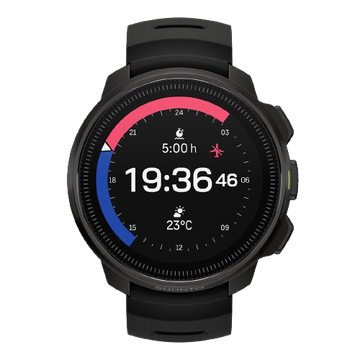


登山やトレイルランニングでは、「今どのくらいの標高にいるのか」「あとどれくらい登るのか」「この先にどんな地形が待っているのか」を把握できると、ペース配分やルート確認がしやすくなります。
SuuntoウォッチとSuuntoアプリには、現在高度、累積標高、地図、ルートナビゲーション、Climb Guidanceなど、山で役立つさまざまな機能があります。
さらにSuuntoPlusを使えば、勾配や垂直速度など、自分の目的に合わせた追加情報をウォッチで確認することもできます。
この記事では、登山やトレイルランニングで特に役立つSuuntoの10機能と、標準機能をさらに拡張するSuuntoPlusの使い方を紹介します。

1. 現在高度を確認する
登山やトレイルランニングでは、現在の標高を把握することで、自分がルート上のどのあたりまで進んでいるのかを確認しやすくなります。
例えば標高2,000mの山頂を目指していて、現在高度が1,600mなら、単純な標高差としてはあと約400mです。
距離だけでなく高度を見ることで、「あとどれくらい登るのか」をより具体的にイメージできます。
登山では行程の進捗確認に、トレランでは長い登りでのペース配分にも活用できます。
2. 累積標高を確認する
累積標高とは、1回のアクティビティの中で登った高さを合計したものです。
スタート地点とゴール地点の標高差とは異なります。
例えば、
- 標高500mから800mまで登る:+300m
- 600mまで下る
- 600mから1,000mまで登る:+400m
というルートなら、累積標高は700mです。
アップダウンが多い登山道やトレイルでは、距離だけを見てもコースの負荷は分かりません。
「20km走った」という情報に加えて、
「20kmで累積標高1,500mだった」
と見ることで、その日の運動負荷やコース特性をより具体的に振り返ることができます。
トレイルレースを予定しているなら、距離だけでなく大会の累積標高も確認しておくと、トレーニング内容を考えやすくなります。
3. FusedAltiで高度情報を補正する
Suuntoの高度計測を支える代表的な技術のひとつがFusedAltiです。
FusedAltiは、GPSから得られる高度情報と気圧高度を組み合わせて、高度情報の精度を高めるSuunto独自の技術です。
山では天候や気圧が変化するため、気圧だけを使った高度計測では表示にずれが生じる場合があります。
一方、GPSによる高度情報にも測位状況などによる誤差があります。
FusedAltiでは複数の情報を組み合わせることで、登山やトレラン中の高度変化をより安定して記録します。
長時間の山岳アクティビティで、現在高度や累積標高を確認するときにも重要な技術です。

高度や累積標高は、登山やトレランで行程を把握するための重要な情報です。
4. ルート高度プロフィールを見る
事前に作成したルートをナビゲーションすると、対応するSuuntoウォッチではルートの高度プロフィールを確認できます。
これにより、
- この先に大きな登りがある
- 山頂を越えた後に長い下りが続く
- 後半にも大きな登り返しがある
といったコース全体の流れを把握しやすくなります。
登山では休憩や補給のタイミングを考える材料に、トレランではレースやロング走のペース配分に活用できます。
目の前の登りだけでなく、その先にどんなアップダウンが待っているかを把握できることが高度プロフィールのメリットです。
5. Climb Guidanceで次の登りを把握する
現在のSuuntoウォッチで山岳アクティビティに特に役立つのが、Climb Guidance(クライムガイダンス)です。
ルートナビゲーション中に高度データをもとにコースを区間化し、これから現れる登りや下りを把握しやすくします。
例えば、
- 現在の登りがあとどれくらい続くか
- この登りでどれくらい標高を上げるか
- 登りを終えたあとに何が待っているか
- その先にさらに大きな登りがあるか
などを手元で確認できます。
トレランでは登りの入口でペースを上げすぎないための参考になり、登山では山頂や峠までの進捗を把握しやすくなります。

Climb Guidanceを使うと、ルート上の登りや下りの情報を確認できます。
6. Climb Guidanceをズームして詳しく見る
Climb Guidanceでは、表示範囲を切り替えて、この先の登りを詳しく確認できます。
ルート全体を見るだけでなく、現在進んでいる登りへズームすることで、目の前のクライムに集中して確認しやすくなります。
例えば長時間のトレイルレースで残り50kmと表示されても、そこから先の運動を具体的にイメージするのは簡単ではありません。
そんなときに、
「まずこの登りを終える」
「次のピークまで進む」
と区切って考えることができます。
長時間の登山や縦走でも、コース全体を小さな区間に分けて把握するのに役立ちます。
7. オフラインマップで地形を確認する
山ではスマートフォンの通信圏外になることがあります。
対応するSuuntoウォッチでは、事前にマップをダウンロードしておくことで、通信環境がない場所でもオフラインマップを利用できます。
地図上では、
- 現在地
- 予定ルート
- 周辺の地形
- 等高線
- 標高情報
などを確認できます。
登山では、尾根・谷・現在地とルートの位置関係を確認するために役立ちます。
トレランでは、初めて走るコースや分岐の確認などに活用できます。
ただし、GPSウォッチやマップ機能が山での安全を保証するものではありません。
現地の標識、地形、天候、公式ルート情報などと組み合わせて判断することが大切です。
山で必要なナビゲーションスキルについては、こちらの記事で詳しく紹介しています。
▶︎ 登山ナビゲーションで身につけたい5つのスキル|山で迷わないための基本
8. ルートナビゲーションでコースを追う
Suuntoアプリで作成したルートやGPXルートを対応するSuuntoウォッチへ同期すると、行動中にルートナビゲーションを利用できます。
登山では分岐や現在地の確認に、トレランではレースや初めて走るコースで予定ルートを確認するために使えます。
対応モデルでは、Climb Guidanceやトラックバックなどのナビゲーション機能も組み合わせて利用できます。
「どちらへ進むのか」と「この先どれくらい登るのか」を同じウォッチで確認できるのが、山でSuuntoを使うメリットのひとつです。
Suuntoアプリでルートを作る具体的な操作方法はこちらの記事へ。
▶︎ Suuntoアプリでルートを作る6つの方法|GPX・ヒートマップも解説
9. Suuntoアプリの3Dマップで事前確認する
山でSuuntoを活用するなら、ウォッチだけでなく出発前のSuuntoアプリも重要です。
Suuntoアプリでは、ルートを作成しながら地形を確認できます。
3Dマップを使えば、平面地図だけではイメージしにくい、
- 尾根
- 谷
- 大きな登り
- ピーク
- 登り返し
などを視覚的に把握しやすくなります。
トレイルレース前なら、「前半に大きな登りがある」「後半にももう一度大きな登りがある」といったコース特性を事前に確認できます。
登山でも、初めて歩くルートの地形をイメージするために役立ちます。
ここではルート作成の詳しい操作方法までは説明せず、専用記事へ役割を分けています。
10. 累積標高をトレーニング目標にする
トレイルランニングでは、距離だけでなく累積標高そのものをトレーニング目標として考える方法があります。
例えば、
- 今日は10km走る
- 今日は累積標高800mを目標にする
では、トレーニングの内容が大きく変わります。
山岳レースに向けて準備する場合は、大会の距離だけでなく累積標高も確認しておくことが重要です。
30km・累積標高1,000mのレースと、30km・累積標高3,000mのレースでは、求められる登坂力や運動時間が大きく異なります。
対応するSuuntoウォッチでは、登りの量をエクササイズ目標として設定できるため、「今日は何m登るか」という考え方でトレーニングを組むこともできます。
登りそのものを速くするトレーニング方法については、こちらの記事へ。
▶︎ トレランの登りを速くするには?持久力・筋力・テクニックを鍛える方法
▶︎ トレランの登りを速くするインターバル練習|VO2max・乳酸閾値の鍛え方
SuuntoPlusとは?登山・トレランで機能を追加する
SuuntoPlusは、対応するSuuntoウォッチへ追加のスポーツ機能やガイドを加えられる仕組みです。
SuuntoPlusには、主に次のようなものがあります。
- SuuntoPlus Sports Apps:エクササイズ中に追加データや専用機能を表示する
- SuuntoPlus Guides:トレーニングプランなどをウォッチ上でガイドする
- SuuntoPlus Store:使いたいSports Appsやガイドを探して追加する
基本機能だけでも登山やトレランを記録できますが、自分が確認したい情報に合わせて機能を追加できるのがSuuntoPlusの特徴です。
利用できる機能や対応モデルは異なるため、SuuntoアプリのSuuntoPlus Storeで最新の対応状況を確認してください。
SuuntoPlus Climbで登りをリアルタイムに確認する
登山・トレイルランニングとの相性が良いSuuntoPlus Sports Appのひとつが、Climbです。
SuuntoPlus Climbでは、登りの状況に応じて、
- 登った標高
- クライム回数
- 勾配
- 垂直速度
- ランニング時の勾配を考慮したペース情報
などを確認できます。
例えば、長い登りで自分がどのくらいの垂直速度を維持できているかを見ることで、序盤から飛ばしすぎていないかを確認する材料になります。
ヒルリピートでは、同じ坂を何回登ったか、登りごとの動きを確認する使い方もできます。

SuuntoPlus Climbでは、登りに関する追加情報をリアルタイムで確認できます。
SuuntoPlus Sports Appを使う基本的な流れ
- SuuntoアプリでSuuntoPlus Storeを開く
- 使いたいSports Appを追加する
- ウォッチとSuuntoアプリを同期する
- エクササイズ開始前にSuuntoPlusを選択する
- 使いたいSports Appを有効にする
- 通常どおりエクササイズを開始する
エクササイズ中は、SuuntoPlus Sports Appが追加のデータ画面として利用できます。
山で役立つその他のSuuntoPlus機能
SuuntoPlusには、Climb以外にも登山やトレランで利用できる追加機能があります。
Safe
Safeは、現在地やスタート地点との位置関係など、位置に関する情報を確認するためのSuuntoPlus Sports Appです。
山で位置情報を確認したり、現在地を共有する必要がある場面の補助として利用できます。
ただし、Safeは救助サービスではなく、地図、通信手段、行動計画などを置き換えるものではありません。
Emergency Info
緊急時に備え、必要な情報をウォッチで確認できる機能も利用できます。
山へ出かける前に、SuuntoPlus Storeで利用できる安全関連機能を確認しておくのもひとつの方法です。
補給関連のSports Apps
長時間のトレイルレースでは、水分やエネルギー補給を忘れないことも重要です。
補給のタイミングをサポートするSuuntoPlus Sports Appsを活用することで、長時間レースの補給計画をサポートできます。
Climb GuidanceとSuuntoPlus Climbの違い
名前が似ているため、Climb GuidanceとSuuntoPlus Climbは混同しやすい機能です。
| 機能 | Climb Guidance | SuuntoPlus Climb |
|---|---|---|
| 主な目的 | この先の登り・下りを把握する | 現在の登り方を確認する |
| 主な情報 | 登り区間、距離、高度プロフィールなど | 登った標高、勾配、垂直速度、クライム回数など |
| ルートとの関係 | ルートナビゲーションと連動 | 現在のアクティビティデータを中心に表示 |
| 機能の種類 | ナビゲーション機能 | SuuntoPlus Sports App |
簡単に言えば、
Climb Guidance=「この先どう登るのかを見る」
SuuntoPlus Climb=「今どう登っているのかを見る」
という違いです。
この2つを使い分けることで、コースの先読みと、自分自身の登りの状態をそれぞれ確認できます。
登山とトレランでどう使い分ける?
| 機能 | 登山での活用 | トレランでの活用 |
|---|---|---|
| 現在高度 | 行程や山頂までの進捗確認 | 登り区間の進捗確認 |
| 累積標高 | 行程全体の負荷把握 | 練習量・レース負荷の把握 |
| 高度プロフィール | この先の登り下りを確認 | レースのペース配分 |
| Climb Guidance | 次の登りと残りを確認 | 登り区間ごとのペース管理 |
| SuuntoPlus Climb | 登高ペースや勾配の確認 | 垂直速度・ヒル練習の確認 |
| オフラインマップ | 現在地と地形の確認 | 未知のコースや分岐確認 |
| ルートナビゲーション | 予定ルートを確認しながら進む | レースやトレーニングコースを確認する |
登山では「行程と地形を把握するための情報」、トレランでは「ルート確認とペース配分のための情報」として使うとイメージしやすいでしょう。
登山・トレランで使うならSuunto Vertical 2
登山やトレイルランニングで、標高・地図・ルート・登り情報を手元で確認したいなら、Suunto Vertical 2が有力な選択肢です。
オフラインマップ、ルートナビゲーション、Climb Guidance、高度・累積標高など、山岳アクティビティで役立つ機能を備えています。
SuuntoPlus Sports Appsにも対応しているため、Climbなど目的に合った追加機能を組み合わせることもできます。
特に登山、縦走、ロングハイク、長距離トレイルでは、現在地だけでなく、この先の地形と登りを手元で確認できることが大きなメリットです。
まとめ
登山やトレイルランニングでは、距離だけでなく、標高や地形を確認することで山の状況をより具体的に把握できます。
今回紹介した10の機能は、
- 現在高度
- 累積標高
- FusedAlti
- ルート高度プロフィール
- Climb Guidance
- Climb Guidanceのズーム
- オフラインマップ
- ルートナビゲーション
- Suuntoアプリの3Dマップ
- 累積標高を使ったトレーニング目標
です。
さらにSuuntoPlusを使えば、Climbによる勾配や垂直速度など、自分の目的に合わせて追加情報を確認できます。
すべての機能を常に使う必要はありません。
登山で知りたい情報、トレランで確認したい情報に合わせて、必要な機能を選ぶことが大切です。
そして、GPSウォッチやナビゲーション機能は山での判断をサポートする道具です。
天候、地形、現地の標識、公式情報なども確認しながら、安全な計画と行動を心がけましょう。


