




SUUNTOブログ


GPSウォッチのナビゲーションとは?ルート案内・オフラインマップの活用方法
GPSウォッチで記録した軌跡が建物の間でずれたり、山あいで現在地の表示が安定しなかったりするのはなぜでしょうか。その背景を知る鍵が「GNSS」です。
GPSは、現在地を測るために使われる衛星測位システムの一つです。現在のSuuntoスポーツウォッチは、複数の衛星システムや周波数を活用することで、ランニングから登山まで、さまざまな環境で位置情報を捉えやすくなっています。
目次
GPSとGNSSの違い
GNSSで現在地が分かる仕組み
GPSウォッチの測位精度を高める技術
GPSウォッチの測位精度に影響する環境
GPSウォッチの測位精度を高める5つの準備
GPSの測位精度とバッテリーモードの関係
現行SuuntoウォッチのGNSSとナビゲーション機能
GPSウォッチを安全に使うために
GPSとGNSSの違い・測位精度のまとめ
GPSとGNSSの違い
GPSは米国が運用する衛星測位システム
GPSは「Global Positioning System」の略で、米国が運用する衛星測位システムです。日常会話では、衛星を利用して位置情報を測る仕組み全般を「GPS」と呼ぶこともあります。
GNSSは世界の衛星測位システムの総称
GNSSは「Global Navigation Satellite System(全球測位衛星システム)」の総称です。GPSのほか、欧州のGalileo、ロシアのGLONASS、中国のBeiDou、日本のQZSS(みちびき)などが含まれます。
一般にGPSウォッチと呼ばれる製品のなかにも、複数のGNSSを利用できるモデルがあります。つまり、GPSはGNSSの一つであり、GNSSは衛星測位システム全体を指す言葉です。
GNSSで現在地が分かる仕組み
複数のGNSS衛星との距離から現在地を計算する
GNSSの衛星は、軌道情報と非常に正確な時刻を含む電波を地上へ送っています。ウォッチの受信機は、複数の衛星から届く信号の時間差をもとに衛星までの距離を計算し、それらの情報を組み合わせて現在地や移動速度、時刻を推定します。
GNSSによる測位は、大きく次の3つで成り立っています。
宇宙部分:地球の周囲を回りながら信号を送る衛星
管制部分:衛星の軌道や時刻を監視・補正する地上設備
利用者部分:信号を受信して位置を計算するGPSウォッチやスマートフォン
GPSウォッチは携帯電話の圏外でも測位できる
GPSウォッチは衛星へ信号を送り返すのではなく、衛星から届く電波を受信して現在地を計算します。そのため、携帯電話の圏外でも、衛星信号を受信できれば位置情報を取得できます。ただし、地図データのダウンロードやルートの同期には、対応機能や事前準備が必要です。
下の図では、一般的なGPSウォッチと、複数の衛星システムに対応するGPSウォッチが利用できる信号の違いを示しています。
複数のGNSSに対応するGPSウォッチは、測位に利用できる衛星の選択肢が広がります。
GPSウォッチの測位精度を高める技術
複数の衛星システムを利用するマルチGNSS
受信できる衛星の選択肢が増えると、空の一部が建物や地形に遮られていても、位置計算に使える衛星を確保しやすくなります。高層ビルが並ぶ市街地、深い谷、急な斜面、樹木に覆われたトレイルなどでは、見通しのよい場所に比べて衛星信号が弱くなったり、反射した信号を受信したりすることがあります。複数のGNSSへの対応は、こうした環境で測位を安定させる助けになります。
ただし、対応する衛星システムの数だけで精度が決まるわけではありません。アンテナ設計、受信チップ、使用する周波数、ソフトウェア、装着状態、周囲の地形なども結果に影響します。
デュアルバンドGNSSが測位精度を高める仕組み
GNSS衛星は複数の周波数帯で信号を送っています。デュアルバンドGNSSは、L1とL5など2つの周波数帯を利用して位置を計算する仕組みです。
異なる周波数の信号を組み合わせることで、大気による遅延の影響を補正しやすくなります。また、建物や岩壁に反射して遠回りした信号を判別しやすくなるため、高層ビルの間や山岳地帯など、測位条件が難しい場所で軌跡の安定に役立ちます。
それでも、衛星測位の誤差がなくなるわけではありません。頭上の空が大きく遮られる場所では、デュアルバンド対応モデルでも一時的に軌跡がずれる場合があります。
GPSウォッチの測位精度に影響する環境
高層ビル・谷・樹林では衛星信号が遮られやすい
GPSウォッチの記録は、次のような環境で不安定になることがあります。
高層ビルが密集する市街地
急な谷や岩壁に囲まれた場所
密集した樹木の下
トンネルや建物の内部
ウォッチが衣服や装備で覆われている状態
GPS計測は空の開けた場所で開始する
空が遮られる場所では、受信できる衛星が限られたり、建物や岩壁に反射した信号が届いたりします。スタート地点がトンネル内や高い建物のすぐそばにある場合は、可能であれば空の開けた場所で測位を完了してから記録を始めましょう。
GPSウォッチの測位精度を高める5つの準備
1.Suuntoアプリと同期して衛星データを更新する
運動前にSuuntoアプリと同期し、衛星軌道の補助データを最新の状態にします。
2.GPSウォッチのソフトウェアを最新にする
利用可能なソフトウェアアップデートを確認し、ウォッチを最新の状態にしておきましょう。
3.屋外の開けた場所でGPS測位を待つ
スポーツモードを開いたら、衛星を捕捉したことを確認してから計測をスタートします。
4.GPSウォッチを手首の上側に正しく装着する
ウォッチを手首の上側に着け、本体が袖や装備で覆われないようにします。運動中に大きく動かない程度の強さで装着してください。
5.用途に合うGPSバッテリーモードを選ぶ
正確なルート記録を優先するのか、長時間の駆動を優先するのかを、行動時間と周囲の環境から判断します。
GPSの測位精度とバッテリーモードの関係
GPSウォッチは、測位精度を高く設定するほど衛星信号を頻繁に取得するため、一般的にバッテリー消費が大きくなります。一方、省電力を重視したモードでは記録間隔などが調整され、長時間のアクティビティを記録しやすくなります。
短時間のランニングや正確なルート記録を重視する場合は高精度の設定、ウルトラトレイルや長時間の登山では予定時間に合わせたバッテリーモードを選ぶなど、目的に応じた使い分けが大切です。利用できるモードと駆動時間は、モデル、設定、使用条件によって異なります。
各モードの違いや選び方、バッテリーを長持ちさせる設定については、「SUUNTOのGPSウォッチのバッテリーモードを解説|違い・選び方・長持ちさせる方法」で詳しく解説しています。
現行SuuntoウォッチのGNSSとナビゲーション機能
オフラインマップとルートナビゲーションを活用する
対応するSuuntoウォッチでは、事前に地図やルートを準備しておくことで、アクティビティ中に現在地や進行方向を手元で確認できます。オフラインマップは、携帯電話の電波が届きにくい山間部でも地図を確認したいときに役立ちます。
GPS・GNSSによる現在地情報と、事前に用意した地図・ルートを組み合わせてナビゲーションできます。
GNSSとオフラインマップに対応する現行モデル
現行のSuuntoラインアップでは、用途に応じてGNSSやナビゲーション機能を選べます。
Suunto Race 2:デュアルバンドGNSS、オフラインマップ、高度なトレーニング機能を備え、トレーニングからレースまで幅広く使いたい方に適しています。
Suunto Vertical 2:デュアルバンドGNSS、オフラインマップ、長時間のGPS記録に対応し、登山や長距離のアウトドア活動に向いています。
Suunto Race S:コンパクトなボディにオフラインマップとトレーニング機能を搭載し、ロードからトレイルまで楽しみたい方に適しています。
対応する衛星システム、周波数、バッテリーモード、地図・ナビゲーション機能はモデルによって異なります。購入前には各製品ページの最新仕様をご確認ください。
実際の地図表示、ターン案内、ウェイポイント、コースアウト時の確認方法は、「SUUNTOの地図・ナビゲーション画面の見方」で詳しく紹介しています。最新のマップ機能については、「SUUNTO、マップ&ナビゲーション機能を大幅アップデート」もご覧ください。
GPSウォッチを安全に使うために
GPSウォッチやオフラインマップは、現在地や進行方向を確認するための有用な補助ツールです。ただし、衛星信号、バッテリー、機器の状態などによって利用できない場合があります。登山や人里離れた場所では、ウォッチだけに頼らず、紙の地図、コンパス、予備電源、行動計画なども準備してください。表示されるルートと現地の状況が異なる場合は、通行規制や天候、地形を優先し、無理に進まないことが大切です。
GPSとGNSSの違い・測位精度のまとめ
GPSはGNSSを構成する衛星測位システムの一つです。複数のGNSSやデュアルバンドに対応するウォッチは、利用できる衛星と信号の選択肢を増やし、市街地や山岳地帯などでも位置を捉えやすくします。
測位精度を引き出すには、運動前のアプリ同期、最新ソフトウェアの利用、開けた場所での測位、適切な装着、用途に合うバッテリーモードの選択が重要です。仕組みを理解し、自分のフィールドと行動時間に合うモデルや設定を選びましょう。
GPS・GNSS対応のSuuntoスポーツウォッチを探す
GPS・GNSS、オフラインマップ、バッテリー性能を比較して、ランニングやアウトドアに合うモデルを選べます。
Suuntoスポーツウォッチを見る


インターバルトレーニングのやり方|ランニング向けワークアウトをSuuntoアプリで作成する方法
ランニングのスピードを上げたい。
レース後半でもペースを維持したい。
短時間で効率よく負荷をかけたい。
そんなときに取り入れたいのが、インターバルトレーニングです。
インターバルトレーニングは、速いペースで走る区間と、ゆっくり走る・歩くなどの回復区間を交互に行うトレーニング方法です。マラソン、トレイルランニング、5km・10kmレースなど、さまざまなランニング目的に活用できます。
ただし、インターバル走は「何分走るのか」「何本行うのか」「回復時間はどのくらいか」を毎回覚えながら行うのが意外と大変です。
この記事では、インターバルトレーニングの基本、Suuntoアプリでワークアウトメニューを作成する方法、Suuntoウォッチで確認しながら走るメリットを紹介します。
インターバルトレーニングとは?
インターバルトレーニングとは、高い負荷の運動と、低い負荷の回復区間を交互に繰り返すトレーニングです。 ランニングでは、速く走る区間を「インターバル」、ゆっくり走る区間や歩く区間を「リカバリー」として設定することが多くあります。
インターバル走で鍛えられること
インターバル走では、スピード、心肺機能、ペース維持力、フォームの安定性などを高めることが期待できます。
一定ペースのジョギングとは違い、負荷と回復を繰り返すため、短時間でもメリハリのあるトレーニングになります。
初心者は無理のない設定から始める
インターバルトレーニングは負荷が高くなりやすいため、初心者はいきなり全力で走る必要はありません。
最初は「1分速く走る+2分ゆっくり走る」を数本行う程度でも十分です。慣れてきたら、距離や本数、ペースを少しずつ調整していきましょう。
どんな人に役立つ?
インターバルワークアウトは、次のような人に役立ちます。
5kmや10kmのタイムを縮めたい人
マラソン後半でもペースを維持したい人
トレイルランや坂道での走力を高めたい人
いつものジョギングに変化をつけたい人
短時間でも効率よく負荷をかけたい人
ペースや心拍数を意識して計画的に走りたい人
ただ速く走るだけでなく、「どのくらい走るか」「どのくらい休むか」「何本行うか」を決めておくことで、目的に合わせたトレーニングがしやすくなります。
Suuntoアプリを使えば、ウォームアップ、速く走る区間、リカバリー、クールダウンをステップごとに組み立てたワークアウトメニューを作成できます。作成したワークアウトは対応するSuuntoウォッチに同期でき、運動中は次のステップをリアルタイムで確認しながらトレーニングできます。
Suuntoアプリでインターバルワークアウトを作成できる
Suuntoアプリでは、インターバルのような「インターバルワークアウトメニュー」を作成できます。「インターバルワークアウトメニュー」とは、ウォームアップ、メインセット、リカバリー、クールダウンなどをステップごとに組み立てたトレーニングメニューのことです。
たとえば、次のようなワークアウトを事前に作成できます。
ウォームアップ 10分
1km インターバル
リカバリー 5分
1km インターバル
リカバリー 5分
クールダウン 10分
毎回メニューを覚えておかなくても、ウォッチ上で次のステップを確認できるため、トレーニングに集中しやすくなります。
Suuntoアプリでインターバルトレーニングを設定する方法
1. SuuntoアプリのWatchセクションを開く
Suuntoアプリで「インターバルワークアウトメニュー」を作成するには、アプリ内のウォッチセクションから「インターバールワークアウト」を開きます。
ここから、新しいワークアウトを作成できます。
2. ワークアウトの目標日を設定する
新しいワークアウトを作成するときは、目標日を設定するか、アプリ内のワークアウトライブラリに保存できます。
目標日を設定しておくと、ウォッチがその日に適したワークアウトとして提案してくれます。
3. ウォームアップを設定する
最初にウォームアップを設定します。
ウォームアップは、時間、距離、またはラップボタン操作で終了するように設定できます。たとえば、「10分ジョグ」や「ラップボタンを押したら次のステップへ進む」といった設定が可能です。
4. インターバルとリカバリーを設定する
次に、メインとなるインターバルとリカバリーを設定します。
ワークアウトは、距離、時間、ラップボタン操作、またはそれらの組み合わせを基準に設定できます。たとえば、1kmのインターバルと5分間のリカバリーを組み合わせることもできます。
ランニングなら、以下のようなメニューが作れます。
400m × 6本
1km × 5本
3分速く走る+2分ジョグ × 6本
坂道ダッシュ 30秒+リカバリー90秒 × 8本
5. 目標強度を設定する
ワークアウトの目標強度は、心拍数、パワー、ペース、スピードに基づいて設定できます。
たとえば、スピード練習ではペースを目安にする、負荷管理を重視するなら心拍数を目安にする、ランニングパワーを使っている場合はパワーを目安にする、といった使い方ができます。
6. クールダウンを設定する
最後にクールダウンを設定します。。
高強度のインターバルトレーニング後は、急に止まるのではなく、ゆっくり走ったり歩いたりして心拍数を落ち着かせることが大切です。
クールダウンまでワークアウトに含めておくと、最後まで流れを崩さずにトレーニングできます。
▶︎関連ページ:Suuntoアプリで計画的なワークアウトを作成し、Suuntoウォッチで使用する方法
作成したワークアウトをSuuntoウォッチに同期する
Suuntoアプリで作成したワークアウトは、SuuntoPlusガイドとしてウォッチに同期されます。
運動を開始する前に、ウォッチ上で正しいワークアウトガイドを選択します。アクティビティタイプを選んだ後、「スタート」を押す前に、スクロールダウンして SuuntoPlus > ガイド から作成したワークアウトメニューを選択します。
選択した状態で運動を開始すると、ウォッチ上でワークアウトのステップを確認しながらトレーニングできます。
トレーニング中はリアルタイムガイダンスを確認できる
運動中は、SuuntoPlusがワークアウトの次のステップを通知し、インターバルトレーニングのリアルタイムガイダンスを提供します。
たとえば、次のインターバルが始まるタイミング、リカバリー区間への切り替え、残り時間や距離などをウォッチ上で確認できます。
毎回時計を見ながら自分でラップを管理する必要が少なくなるため、走りに集中しやすくなります。
インターバルワークアウトのメニュー例
初心者向け:1分インターバル
ウォームアップ 10分
速めに走る 1分
ゆっくり走る 2分
× 6本
クールダウン 10分
最初は全力ではなく、「少しきつい」と感じる程度から始めるのがおすすめです。
5km・10km向け:400mインターバル
ウォームアップ 10〜15分
400m インターバル
200m ジョグ
× 6〜8本
クールダウン 10分
スピード感に慣れたいランナーに向いています。
マラソン向け:1kmインターバル
ウォームアップ 15分
1km インターバル
3〜5分 ジョグ
× 4〜6本
クールダウン 10分
一定ペースを維持する力を高めたいときに取り入れやすいメニューです。
トレイルラン向け:坂道インターバル
ウォームアップ 15分
坂道を速く走る 30〜60秒
ゆっくり下る、または歩いて回復
× 6〜10本
クールダウン 10分
登りでのパワーやフォーム維持を意識したいときに役立ちます。
TrainingPeaksなどのパートナーサービスとも連携できる
ワークアウトメニューは、TrainingPeaksなどのパートナーサービスからSuuntoに同期することもできます。
コーチからメニューを受け取っている場合や、外部サービスでトレーニング計画を管理している場合も、Suuntoウォッチと組み合わせて活用できます。
インターバルトレーニングを続けるためのポイント
頻度は週1回程度から始める
インターバルトレーニングは負荷が高いため、毎日行う必要はありません。
まずは週1回程度から始め、疲労感や回復状態を見ながら調整しましょう。
ペースよりもフォームを崩さないことを意識する
速く走ることだけを意識すると、後半でフォームが崩れやすくなります。
インターバル中も、リズム、姿勢、腕振り、接地の安定を意識することが大切です。
回復状態を見ながら行う
疲労が強い日や睡眠不足の日に無理をすると、ケガやオーバートレーニングにつながることがあります。
SuuntoウォッチやSuuntoアプリで、トレーニング負荷、回復、HRVなどを確認しながら、走る日と休む日のバランスを考えましょう。
▶︎関連記事:HRVとは?心拍変動を理解してトレーニングの回復を最適化する方法
▶︎関連記事:ランニングのトレーニング負荷を管理する方法|Suuntoアプリとウォッチで疲労・進歩をチェック
Suuntoウォッチでインターバルトレーニングをもっとわかりやすく
インターバルトレーニングは、効果的な一方で、時間、距離、本数、リカバリーを管理するのが難しいトレーニングでもあります。
Suuntoアプリでワークアウトを作成し、対応するSuuntoウォッチに同期しておけば、トレーニング中に次のステップを確認しながら走れます。
ランニング、トレイルランニング、サイクリングなど、目的に合わせたワークアウトメニューを活用することで、日々のトレーニングをより計画的に進めやすくなります。
▶︎Suuntoのスポーツウォッチ一覧を見る
まとめ|インターバルトレーニングは、Suuntoアプリで計画すると続けやすい
インターバルトレーニングは、スピードや心肺機能、ペース維持力を高めたいランナーに役立つトレーニングです。
一方で、ウォームアップ、インターバル、リカバリー、クールダウンを自分で管理しながら走るのは簡単ではありません。
Suuntoアプリを使えば、構造化ワークアウトを事前に作成し、ウォッチに同期できます。運動中はSuuntoPlusガイドが次のステップを案内してくれるため、ランナーは走りに集中しやすくなります。
まずは無理のないメニューから始めて、少しずつ本数や強度を調整していきましょう。
>▶︎Suuntoのスポーツウォッチ一覧を見る

Run with power
Working out at the right intensity is the key to systematic and effective training. To get the benefits, you first need to set up your intensity zones. With Suunto watches you can set up running specific intensity zones based on all three; heart rate, pace and running power. Adjust your intensity zones at Settings > Training > Intensity zones > Advanced zones.
Running power is very useful during ups and downs as it takes into account elevation gain and this way helps you maintain a steady effort in changing terrain. It is also valuable for interval sessions as it reacts quicker than heart rate to changes in intensity.
Suunto 9 Peak Pro measures running power from the wrist combining GPS and barometric data. Ensure your weight is correct in the watch settings for the algorithm to work properly. Your weight is set at Settings > General > Personal > Weight.
Use a sport mode with power – or create your own
To see your power during your run, select a sport mode that shows running power on your screen. You can use for example sport modes like Trail running power or Running power.
This is how power – 265W in this case – is shown in the default Trail running power sport mode. You can also use the Running power sport mode – or customize your own with Suunto app.
Running power is one of the data fields you can add in your custom sport modes. You can select data like current power (Power 3 sec, Power 10 sec, Power 30 sec), average power and max power. You can also select to see Lap average power, Lap max power and Interval average power on your custom screens.
After the run you can analyze your power in Suunto app.

Turn it all off and come back to the present moment
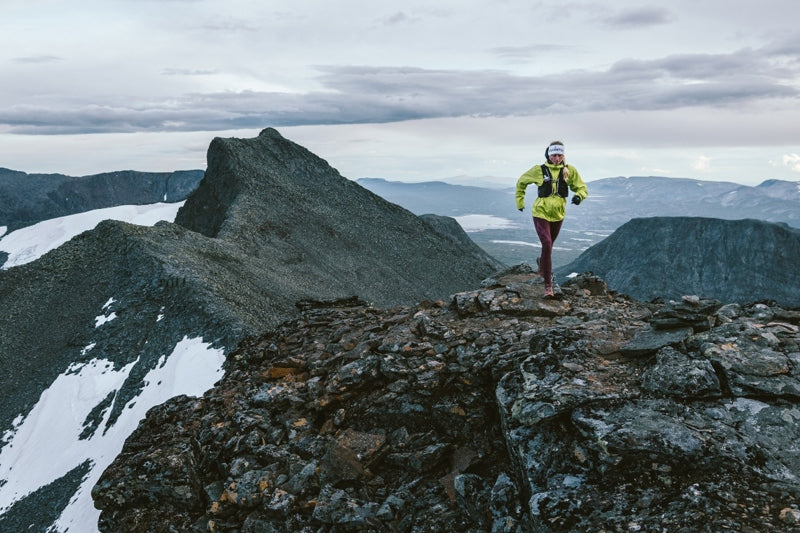
Living just below the Arctic Circle in 2021 during the coronavirus pandemic Freya Orban, from southern Sweden, was missing sunshine and isolated due to social distancing restrictions.
Unable to do the things she loved — train with her cross-country skiing team, go trail running or to the gym to train — she became depressed. All the signs of stress and strain were showing, and then her dog died.
“That was the trigger for everything,” the 25 year Suunto athlete says. “Then I got shingles and couldn't get out of bed for a month.”
Piling on the pressure
At the worst low of her life, Freya started to question everything she was doing. Reflecting in this way allowed her to see what is important in her life, and what is superfluous. Like with so many competitive athletes, she used to pile too much pressure on herself. Going to races, managing her social media accounts, pleasing sponsors, pursuing academic excellence — she had become so busy and future-focused she had lost touch with the freedom and joy of running and being outdoors had always given her since she was a child. She had lost her presence. The simplicity of being in the here and now, senses open, taking in the beauty of the world.
Light at the end of the tunnel
Her journey into a dark place and into the light at the other end of the tunnel has led to massive change. She logged out of her social accounts, turned off her smartphone, stopped planning and instead focused on savoring simple presence in the outdoors and growing food in her garden. The sound of wolves howling in the distance (that’s Sweden!), the taste of wild blueberries, the feeling of wind on her face. Coming back to moment by moment experience, Freya healed herself and is now in the best place ever.
Leaving it all behind and running hut to hut
Watch the short film Presence below and follow Freya and her friend and photographer Lukas Dürnegger as they go on a fast packing hut to hut trip in the mountains of Jämtland in central Sweden. Over six days they ran 155 km with 5242 m of elevation gain. They left their smartphones at home and really tuned into the living world around them. Along the way they took time to stop a lot and ate handfuls of juicy blueberries and cloudberries.
Freya’s 3 tips to find presence
Rethink how you use social media
Freya’s approach to social media has changed. During some periods, she might sign in only once a month. And she posts only what she wants to look back on in a few years. It’s about keeping magical memories, not about sponsor-collaborations or gaining followers. Freya says being busy with screens and social media can make our senses dull and tuned out.
Pay attention to the little things
“A lot of people are caught in hamster wheels,” Freya says. “We go to work and tick off boxes on our to-do lists. But by the end of the day we can’t even remember what was happening. We rush through everything and miss things.”
To reverse this condition, Freya suggests going out into nature and opening up all the senses. “Try to use all your senses,” she says. “Not just your vision. Use your hearing, sense of smell, even taste, touch — the raindrops on your forehead. Everything you encounter out there, really try to feel it.”
Leave the tech at home
Once a week, leave all your technology at home and go out into nature for a run or a hike. Leave your earbuds, smartphone, GPS sports watch at home and be in the here and now. “Make it about being in nature and running for the joy of it,” Freya says.
All images by Lukas Dürnegger

Great effort by Suunto community to slash CO2e together
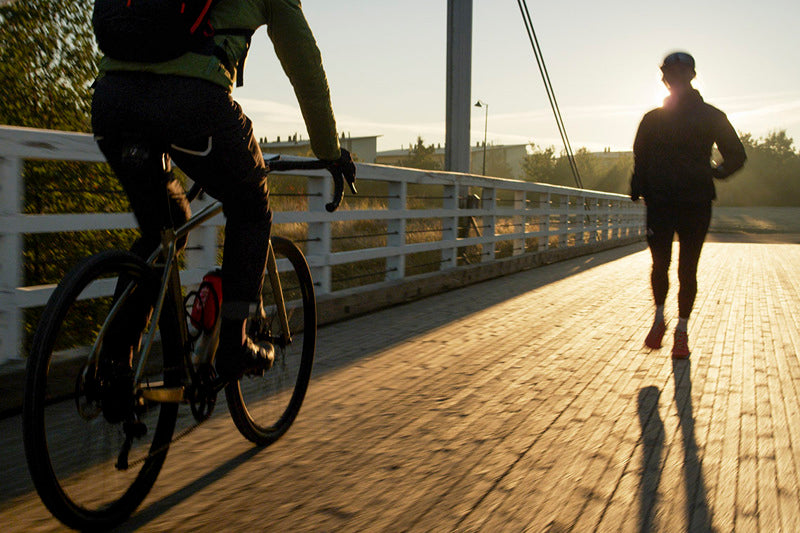
To motivate people to ride and run to work and to slash their CO₂ emissions (CO2e), we invited our community to join the first ever Suunto Commuting Day on September 22. The response was great: the community tracked nearly 380.000 km of human-powered commutes with their Suunto watches and Hammerhead bike computers. That’s just about the same distance as going from Earth to the moon!
Impressive first time results
The most popular commuting activity types were cycling, running and walking. Half of the commutes were cycling, a third was running and the rest walking – with some skateboarding, roller skiing and even swimming thrown in the mix.
The most common commuting distance for cyclists was 8,4 km, for runners 6,1 km and walkers 2,9 km. When looked closer at the cycling distances the distribution is quite equal:
Less than 5km commuting distance 26%
5–10 km commuting distance 32%
10–20 km commuting distance 25%
More than 20 km commuting distance 17%
Time-wise, runners had the longest duration commutes. The most common commuting durations were:
Running 39 min
Walking 37min
Cycling 29min
When looking at different nations, the Swedes were the most active bike commuters as the ratio between their bike commutes and bike rides in general was the highest. Other countries on the active commuter list were Germany, France, Finland and the UK.
Choosing human-powered travel
Human-powered commutes are good for both you and the planet as transportation is one of the biggest sources of emissions worldwide. When comparing the distance the community traveled with driving that same distance in a combustion-powered car, the estimated CO2e savings were over 65.000 kg. That’s the equivalent of 260 one hour passenger flights.
France, Japan, Finland, Spain and Germany accounted for the top 5 largest CO2e savings in total.
“We are stoked that we got so much participation even though it was the first Suunto Commuting Day and we had very little lead in time,” says Suunto’s Sustainability manager Heidi Heikkinen. “This shows how much interest there is — we expect the CO2e savings to increase next time.
“One single bike ride to work may not seem like a big commitment, but once you do that on a regular basis, you will start to see how it all adds up. And, when looking at the entire community, it is clear that thousands of people choosing human-powered commutes regularly can definitely make a difference.”
Track your commutes
In its increased focus on sustainability, Suunto has given its community the ability to track human-powered commutes and – as an extra motivation – see the estimated CO2e savings compared to driving that same distance.
To get started, track your commutes with a Suunto watch or a Hammerhead bike computer and tag the activity as a commute in Suunto app. In Suunto app you will see how much CO2e you have saved. You don’t even need to have a Suunto watch or a Suunto compatible Hammerhead bike computer to track your human-powered commutes: you can also use Suunto app and track with it for free. You can download Suunto app for iOS here and for Android here.
Committed to be a force for good
Promoting sustainable everyday choices is part of Suunto’s commitment to being a more responsible company. Today, more than 90 % of Suunto products are made in its factory in Vantaa, Finland. Since 2021, its HQ and factory have used 100% renewable energy. And to keep things transparent, it has recently published its first annual sustainability report that you can read here.“Suunto’s approach to sustainability is to increase positive effects, not just to reduce the negative ones. These are called, respectively, our handprint and footprint. We aim to tread lightly, and be a force for good. We believe in the power of community. Together, we can affect change by raising our voices and taking real action. Our ambassadors and our community care as much as we do,” says Brand manager Antti Laiho.
Read more
Learn more about tracking human-powered commutes and your CO2e savingsLearn more about Suunto’s approach to sustainabilityLearn more about Suunto’s comprehensive offering to cyclists

Join Suunto Commuting Day and fight CO2e emissions together
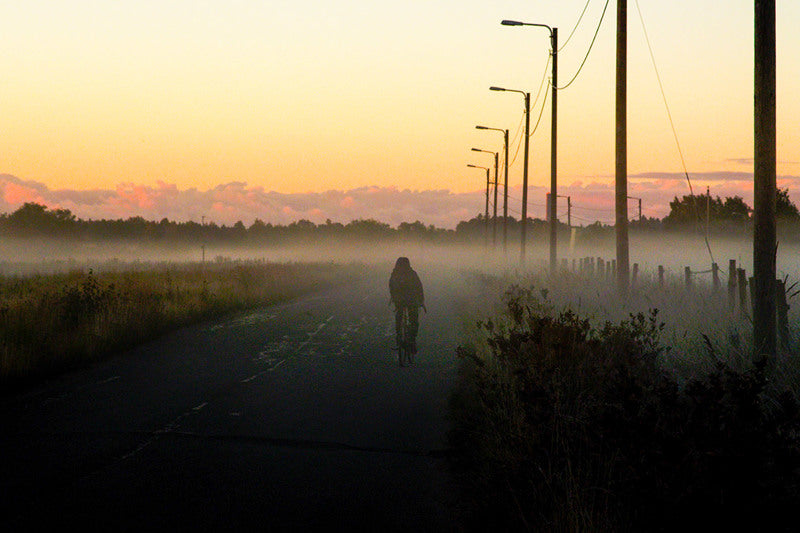
We are stoked to announce our inaugural Suunto Commuting Day to be held on Thursday, September 22. It’s simple to join: track your commute with a Suunto watch or a Hammerhead bike computer and tag the activity as a commute in Suunto app. After the event, we’ll show how much CO2e emissions our community has saved.
“One single bike ride to work may not seem like a big commitment,” says Suunto’s Sustainability manager Heidi Heikkinen. “But once you do that on a regular basis, you will start to see how it all adds up. And, when looking at the entire community, it is clear that thousands of people choosing human-powered commutes can definitely make a difference. Especially knowing that transportation is one of the biggest sources of emissions.”
You don’t even need to have a Suunto watch or a Suunto compatible Hammerhead bike computer to start tracking your human-powered commutes: you can also use Suunto app and track with it for free. You can download Suunto app for iOS here and for Android here.
“Suunto’s approach to sustainability is to increase positive effects, not just to reduce the negative ones. These are called, respectively, our handprint and footprint. We aim to tread lightly, and be a force for good. We believe in the power of community. Together, we can affect change by raising our voices and taking real action. Our ambassadors and our community care as much as we do,” says Brand manager Antti Laiho.
Learn more about tracking human-powered commutes and your CO2e savings
Learn more about Suunto’s approach to sustainability


