





SUUNTOブログ

5 popular blog articles and 5 must-read tutorials of 2022
How to mix it up when you love too many outdoor sports
Allround mountain sport athlete Anton Krupicka shares how he strikes a balance with the four sports he loves.
”Embracing a variety of mountain sports has made me a more well-rounded athlete. It’s also extended my running career - there’s no way that I could only run now and stay healthy enough to race and have it be sustainable. That’s the main benefit,” Anton says.
Read more
Who’s having the most fun?
Feeling is an excellent metric for recovery. If your feelings after exercise start to trend downwards, something is not right. You may be pushing too hard, not recovering well enough or might be getting sick. Consider taking a break or doing something different for a change.
But in addition to helping you track your recovery, feeling data reveals more. Here are six interesting findings about Suunto community, based on the data from Suunto app database.
Read more
5 reasons why endurance athletes should do high-intensity strength training
To improve vertical speed and endurance, high-intensity resistance training should be an essential component of your training plan, says sports scientist, coach and athlete Susi Kraft. She is concerned many endurance athletes, whether trail runners, mountaineers or cyclists, believe they can skip the gym altogether or just do a little bodyweight training and that will suffice.
“One of the most common myths in the endurance world is that athletes should avoid lifting heavy weights, as they don’t need that for endurance, or that it will cause them weight gain and may slow them down,” Susi says. “This is just a myth. Actually, HIRT will make you faster, stronger and less prone to injury.”
Read more
Allyship in the outdoors: what is it and how to be a good ally for others?
Strong allies make for safer, more welcoming outdoor spaces. In this article by Suunto athlete, ultra-runner and diversity champion Ryan Montgomery, he explains allyship and how we can all be good allies in the outdoors.
“Not everyone feels welcome, nor safe, in the outdoors. Diverse communities – our queer, LGBT, people of color, and peers with disabilities – often experience limitations that prevent them from getting outdoors. Each of us plays a role in eliminating barriers to outdoor spaces for others; being an ally is what will make outdoor recreation safe and accessible for all people,” writes Ryan.
Read more
15 tips for beginners to fall in love with snorkeling
Dipping beneath the surface of the ocean opens up an incredible new world. It can expand our minds and bring us closer to our blue planet. With snorkeling, there’s no need for dive training or to carry heavy dive equipment. All you need is a good mask and snorkel, fins, a rash guard, reef-safe sunscreen, basic knowledge, and the new Suunto 9 Peak Pro so you can use the “snorkeling mode”.
Read more
And there’s always something to learn!
In addition to inspiring and insightful stories, several how to articles were frequently read. Check these out, for example.
Living peak adventure – How to navigate with Suunto
With a GPS watch from Suunto, a world of adventure is at your fingertips. Learn how to find, create and navigate routes that’ll keep you stoked. Read the five-part article series
How to use Karoo 2 bike computer with Suunto
Hammerhead Karoo 2 is a Suunto compatible cycling computer that brings advanced navigation features, Suunto heatmaps and intuitive software to your handlebars. But there’s more to it than that! Read more
Suunto app goes big
On a big screen device like an iPad or an Android tablet you can experience richer texture and detail while planning routes and analyzing your training data. Learn more
Track your human powered commutes with Suunto
Living a more sustainable life starts with small, everyday choices. And, when done often enough and by enough people, these small changes will add up and start to have an impact. To support you in this, we have added the ability to track your human-powered commutes with Suunto app. Learn more
Plan your interval workouts with Suunto app
Build a workout in Suunto app and let your watch guide you through your session! This is especially useful with complex sessions, like intervals. Use Suunto app to build the workout step by step from warm-up to cool-down. Learn more


初心者がシュノーケリングを楽しむための15のコツ|安全に海を楽しむ準備と持ち物
海の中をのぞくと、そこには陸上とはまったく違う世界が広がっています。色鮮やかな魚、光が差し込む水面、ゆっくりと流れる時間。シュノーケリングは、特別なダイビング資格がなくても、水中の世界を身近に楽しめるアクティビティです。
必要なのは、マスク、シュノーケル、フィン、ラッシュガード、日焼け止め、そして基本的な知識。初めてでも、事前に準備しておけば、家族や友人と安心して海を楽しめます。
この記事では、初心者がシュノーケリングを安全に楽しむための15のコツを紹介します。
初心者がシュノーケリングを楽しむための15のコツ
1. まずは泳ぎに慣れておく
シュノーケリングを楽しむためには、泳ぎに慣れていることが大切です。
海ではプールと違い、波や潮の流れがあります。足がつかない場所では、思った以上に体力を使うこともあります。泳ぎに不安がある場合は、旅行前にプールで練習したり、スイミングレッスンを受けたりしておくと安心です。
特に子どもと一緒に楽しむ場合は、浅くて穏やかな場所から始めましょう。
2. 水の中でリラックスする感覚を身につける
泳げることと、水の中でリラックスできることは少し違います。
シュノーケリングでは、力を抜いて水に浮く感覚が大切です。体に力が入りすぎると、呼吸が浅くなったり、すぐに疲れてしまったりします。
まずは浅い場所で、浮く・呼吸する・ゆっくり動く感覚に慣れていきましょう。水に身を任せる感覚がわかると、海の中をより落ち着いて楽しめるようになります。
3. 口で呼吸する練習をする
シュノーケリングでは、シュノーケルを通して口で呼吸します。初めてだと少し不自然に感じるかもしれません。
旅行前にプールや浅い海で、マスクとシュノーケルをつけて練習しておくのがおすすめです。顔を水につけた状態で、ゆっくり吸って、ゆっくり吐く。呼吸を急がず、落ち着いて続けることがポイントです。
息苦しさを感じたら無理をせず、顔を上げて休みましょう。
4. 初めてならガイド付きツアーやレッスンを選ぶ
初めてのシュノーケリングでは、ガイド付きツアーやレッスンに参加するのがおすすめです。
道具の使い方、海での安全確認、魚が見えやすい場所、潮の流れの見方などを教えてもらえるため、安心して楽しめます。現地の海をよく知るガイドがいれば、初心者でも無理のない範囲で水中の世界を体験しやすくなります。
5. 自分に合った道具を選ぶ
シュノーケリングを快適に楽しむには、道具選びが大切です。
マスクが顔に合っていないと水が入りやすくなり、シュノーケルが合わないと呼吸しにくくなります。フィンもサイズが合わないと、足が痛くなったり、効率よく進めなかったりします。
レンタルする場合も、サイズやフィット感をしっかり確認しましょう。
6. シュノーケルの位置を正しく調整する
シュノーケルは、口元から自然に立ち上がる位置に調整します。
水面で顔を下に向けたとき、チューブの先端が水面からしっかり出ていることが大切です。頭を下げすぎたり、横を向きすぎたりすると、水が入りやすくなります。
慣れるまでは、浅い場所で姿勢と呼吸を確認してから沖へ進みましょう。
7. シュノーケルに入った水の抜き方を覚える
シュノーケルには、波しぶきなどで少し水が入ることがあります。
その場合は、落ち着いて大きく息を吸い、強めに息を吐いて水を外へ出します。水が残っていると感じるときは、無理に吸い込まず、顔を上げてシュノーケルを外してから呼吸しましょう。
水が入ること自体は珍しくありません。大切なのは、慌てないことです。
8. マスクの曇りを防ぐ
マスクが曇ると、せっかくの水中景色が見えにくくなります。
新しいマスクは、使用前に洗って油分を落としておくと曇りにくくなります。海に入る前には、曇り止めを使ったり、軽くすすいだりしておきましょう。
使った後は真水で洗い、しっかり乾かして保管します。
9. ひとりで行かない
シュノーケリングは、必ず誰かと一緒に楽しみましょう。
海では、天候や潮の流れが急に変わることがあります。ひとりで行動すると、トラブルに気づいてもらいにくくなります。友人や家族と一緒に入り、お互いの様子を確認しながら楽しむことが大切です。
陸にいる人にも、どこで泳ぐのか、いつ戻る予定なのかを伝えておきましょう。
10. シュノーケリングの記録を残す
シュノーケリングを楽しむなら、その日の記録を残しておくのもおすすめです。
どこを泳いだのか、どれくらいの時間楽しんだのか、どのくらい移動したのかを記録しておくと、次回の計画にも役立ちます。Suuntoのダイビングウォッチやスポーツウォッチを使えば、水中や水上でのアクティビティを記録し、あとからSuuntoアプリで振り返ることができます。
Suuntoアプリでは、ダイビングや水中アクティビティのログを見返し、記録を整理することができます。より詳しく活用したい方は、Suuntoアプリでダイビングデータを詳しく振り返る方法も参考にしてみてください。
水中アクティビティをもっと詳しく記録したい方は、Suuntoの最新ダイビングウォッチをチェックしてみてください。
▶︎最新のSuuntoダイビングウォッチはこちら
11. 潜るときは無理をしない
シュノーケリングに慣れてくると、少し潜って魚やサンゴを近くで見たくなるかもしれません。
ただし、息を止めて潜る行為にはリスクがあります。深く潜ろうとしたり、長く息を止めようとしたりするのは避けましょう。潜る場合は、必ずバディと一緒に行い、無理のない浅い範囲から始めてください。
耳に違和感がある場合は、無理に潜らず水面へ戻りましょう。
12. 初めては穏やかな場所を選ぶ
初めてのシュノーケリングでは、波が少なく、風や潮の影響を受けにくい場所を選びましょう。
透明度が高く、浅くて、岸から近い場所だと安心です。天候が悪い日や波が高い日は、無理に入らないことが大切です。
旅行先では、ライフガードのいるビーチや、初心者向けに案内されているスポットを選ぶと安心です。
13. 海の状態を読む
海は日によって状態が変わります。
潮の流れ、風向き、波の高さ、満潮・干潮の時間などを事前に確認しましょう。現地のスタッフやガイドに、その日の海の状態を聞くのもおすすめです。
見た目は穏やかでも、場所によっては流れが強いことがあります。少しでも不安を感じたら、無理をせず予定を変更しましょう。
14. 体調を整えてから入る
海に入る前は、体調を整えておくことも大切です。
十分に水分をとり、空腹すぎる状態や満腹の状態は避けましょう。ビーチに着いたら、軽くストレッチをして体を動かしておくと、泳ぎ始めが楽になります。
日差しが強い場所では、ラッシュガードや帽子、リーフセーフの日焼け止めも活用しましょう。
15. 自分の限界を知る
シュノーケリングは楽しいアクティビティですが、無理をしないことが何より大切です。
深い場所が怖い、波が強い、疲れてきた、寒くなってきた。そんなときは、早めに休憩しましょう。子どもや初心者と一緒の場合は、全員が安心して楽しめる範囲で行動することが大切です。
「もう少し行けそう」と思っても、海では余裕を残して戻るくらいが安心です。
Suuntoのダイビングウォッチで、水中の体験を記録しよう
シュノーケリングやダイビングをもっと楽しみたいなら、水中での体験を記録できるウォッチを使うのもひとつの方法です。
Suuntoのダイビングウォッチは、ダイビング、フリーダイビング、シュノーケリングなど、水中アクティビティに対応するモデルを展開しています。シュノーケリングをきっかけに、フリーダイビングやスキューバダイビングにも興味が広がったら、専用のダイビングウォッチを選ぶことで、水中での時間をより記録しやすくなります。
記録したデータは、Suuntoアプリであとから振り返ることができます。潜った場所や時間、ログを確認しながら、次の海での体験にも活かしやすくなります。
詳しい活用方法は、Suuntoアプリでダイビングデータを詳しく振り返る方法をご覧ください。
▶︎最新のSuuntoダイビングウォッチはこちら
まとめ|準備を整えれば、初めてのシュノーケリングはもっと楽しくなる
シュノーケリングは、海の世界を身近に楽しめるアクティビティです。
泳ぎに慣れておくこと、呼吸を練習すること、自分に合った道具を選ぶこと、海の状態を確認すること、そしてひとりで行動しないこと。基本を押さえておけば、初めてでも安心して楽しみやすくなります。
無理をせず、海のリズムに合わせて、少しずつ水中の世界に慣れていきましょう。
そして、泳いだ場所や時間、水中での体験を記録したい方は、Suuntoのダイビングウォッチもぜひチェックしてみてください。
▶︎最新のSuuntoダイビングウォッチはこちら


Who’s having the most fun exercising? Here’s the answer – based on data!
Feeling is an excellent metric for recovery. If your feelings after exercise start to trend downwards, something is not right. You may be pushing too hard, not recovering well enough or might be getting sick. Consider taking a break or doing something different for a change.
But in addition to helping you track your recovery, feeling data reveals more. Here are six interesting findings about Suunto community, based on the data from Suunto app database.
1. Activity type does matter: The best feelings on average are recorded after dancing, downhill skiing, horseback riding, badminton and snowboarding.
2. Two activity types stand out as exceptionally poor: The feelings after running and trail running are clearly below other activity types.
3. Weather does not have a big impact on the feeling – unless it is a torrential downpour: The activity type, for example choosing cycling over running, has a much bigger impact.
4. Gender makes a difference: Women have more (or at least as much) fun as men in all other activity types except soccer.
5. Age does not matter: The age of the athlete did not have a correlation with the mood after exercise.
6. Country heavily impacts the mood: People exercising in Austria, China, Croatia, Poland and Serbia are generally feeling exceptionally well after a training session, while France, Italy, Japan, Spain and Sweden are in the opposite end of the list with much poorer feelings after working out.
In addition to fun facts, the data also reveals interesting trends: As an example, the feeling in cycling, swimming and walking rose to a new, higher level in March 2020 and has stayed on that higher level. Changes in other activity types since Covid pandemic started have not been as clear.
Happy adventures – and keep on tracking your activity feelings for your own wellbeing and our shared interest!
Lead image: Harald Wisthaler Bikewash image: Anthony Bonello

Living peak adventure: navigate a route
You’ve reached the fifth and final article in the Living Peak Adventure series, which gives you everything you need to know to find, create and navigate routes that’ll keep you stoked. The series covers:
How to find hot routes with Suunto app heatmaps
How to find popular starting points
How to create your own routes
How to share your routes with friends
How to navigate a route outdoors
How to navigate a route outdoors
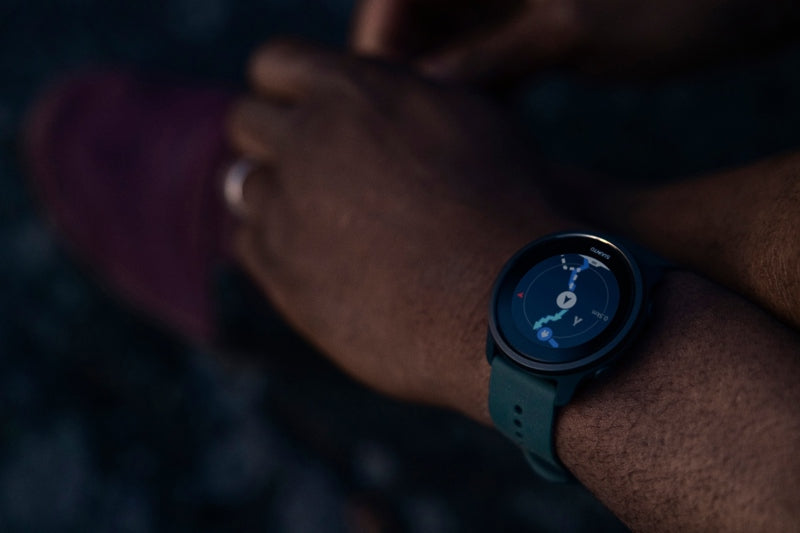
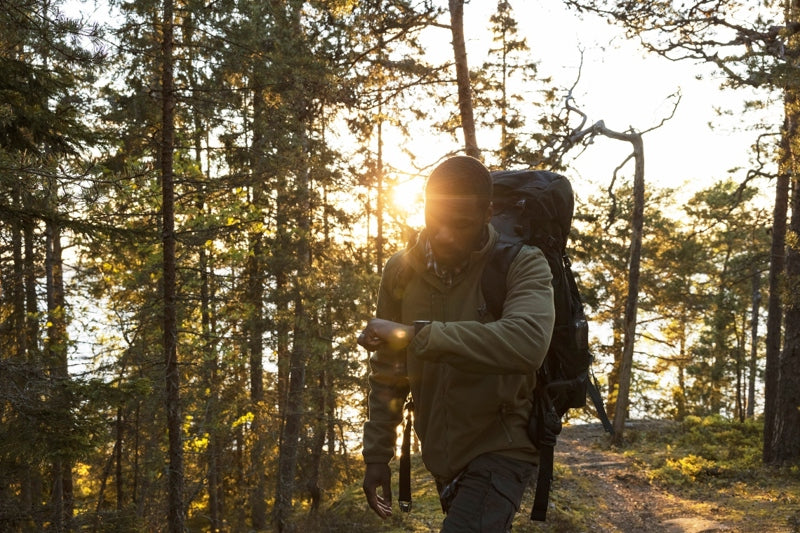
Say it’s time to head out on that two night hike with your adventure buddies; you synced the route - with turn-by-turn guidance on - that you created in Suunto app with your Suunto GPS watch, and now you’re at the car park and ready to start walking. Let your watch guide you.
Select the route and navigate
To get started with route navigation, enter the “Exercise” menu on your watch and select your preferred sport mode - in the example above “hiking”. Now, before pressing “Start”, press the bottom button or scroll down to access the “options” menu and select “navigation” then “routes”, then select the relevant route and then tap “navigate”. Once you press start to commence your exercise activity, route navigation will appear as one of your watch screens.
Follow the lines
On the watch scree you’ll see two lines:
The dotted “breadcrumb” trail shows the path you have covered
The blue line is your planned route
This is helpful outdoors because perhaps you’ll encounter an obstacle - such as a fallen tree or a swollen river - that you have to go around. The lines will show you where you are in relation to your planned route and how to get back on track.
The breadcrumb line is very useful for another reason: even when you are not navigating a route, you can see the path you have already taken and can use it to backtrack part of or all of the way as required.
You can also zoom in and out of the route navigation view: simply long press the middle button and use the other buttons to zoom.
Turn-by-turn navigation
When creating routes in Suunto app, you can choose to activate turn-by-turn instructions. When the route is transferred to your watch and used for navigation, it will give you turn-by-turn guidance with a sound alert and information on which way to turn. If you go more than 100 m (330 ft) off route, for example, the watch notifies you that you are not on the right track, as well as lets you know when you are back on route.
Now go and explore!
Now you’ve learned the basics by reading this five-part series, it’s time to test out and master all the features at your disposal. Step by step you will build confidence, allowing yout to explore further and further. A world of adventure is awaiting you - get out there!
Learn more about navigation with Suunto 5 Peak, Suunto 9 Peak and Suunto 9 Baro.

Living peak adventure: share your routes
This is the fourth post in the Living Peak Adventure series, which explains how to find, create and navigate awesome routes. The series covers:
How to find hot routes with Suunto app heatmaps
How to find popular starting points
How to create your own routes
How to share your routes with friends
How to navigate a route outdoors
How to share your routes with friends
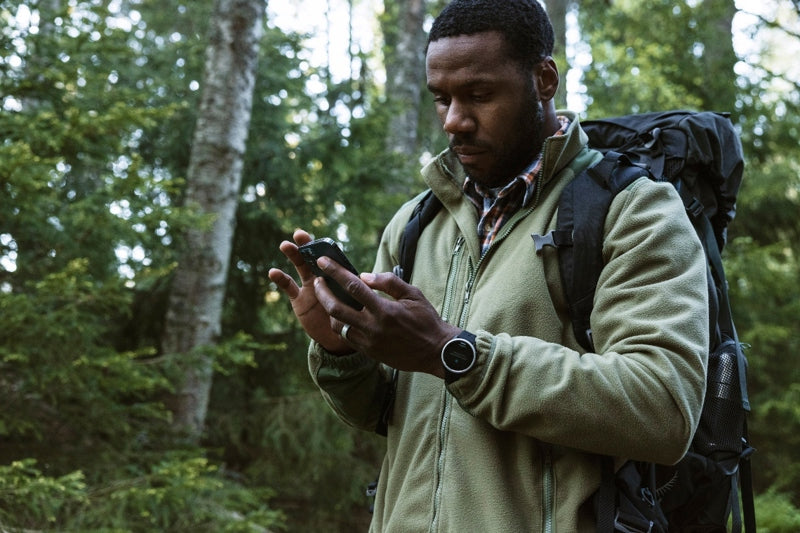
Imagine spring has finally arrived and you and a group of hiking buddies have found a weekend for a two night hiking trip. You have a general idea of where you’d like to go, but they leave it up to you to decide on the route.
After scanning the area with Suunto app heatmaps, or with one of our partner services like Komoot, FATMAP or Outdooractive, you develop an idea for a nice route. You create your route and now you want to share it with your friends to make sure they’re onboard and to get them excited.
In Suunto app maps, select the “library” button with a bookmark icon. Your library is where you can find all of the routes you have saved. Scroll down to the route and tap the “share” button on the bottom right corner of the map showing the route.
Now you can copy the link and share it via email and so on, or directly share it via your preferred messaging app. All your friends need to do is open the shared file in their Suunto app.
In Suunto app you and your friends can save each others activities as routes for future navigation.
Get inspiration from your friends
If your friends have a public profile, you can open any of their exciting tracks, tap on the "More" icon (three dots), and save that trail to your gallery of routes. Don't forget to show some support and give a shout-out to your friend. And, naturally, your friends can also save the tracks of your activities as routes and use them for navigation.
Read more
How do I import a GPX file in Suunto app for iOS
How do I import a GPX file for Suunto app for Android

Living peak adventure: create your own routes
Whatever outdoor sport you’re into, the Living Peak Adventure article series shows you how to find, create and navigate smoking routes. The series covers:
How to find hot routes with Suunto app heatmaps
How to find popular starting points
How to create your own routes
How to share your routes with friends
How to navigate a route outdoors
How to create your own routes
In the previous two articles, we explained how to find routes and starting points popular with our community. Say you had a look at these and decided they aren’t enough of a challenge for you. Perhaps, as an example, you need to plan out a block of hill training and want to find a route with plenty of vertical ascent. Then create your own!
You can also create routes on the go with Suunto app.
Getting started
Open Suunto app maps and decide where you’d like to start. You can tap the arrow pointer above the search icon on the screen to reveal your current location and start your route there if you like. Just tap on the screen and you have your starting point, presented as a blue circle with A inside.
Choose your mode
Next, you can begin designing your route in a number of ways. On your screen, notice an icon with a mountain, trail and trees symbol - tap that and you’ll open the “routing mode” menu. Select which option fits best for your motivation and activity type. You can select the “free drawing” option if you’re taking paths that might not be on the map and don’t want the app to automatically suggest it. Or, if you’ll be following known roads and paths, select the “any road or path” option. Choose which of the five routing modes make the most sense for you.
Monitor the distance and more
As you create your route, the app will calculate the distance, vertical meters and estimated duration and present this information in a box at the bottom of your screen. That way you can keep track of how long and challenging your route might be.
Toggle between maps
As you extend your route, you can toggle between various map options to help you see exactly where you want it to go. For example, switch from 2D to a 3D map to get a better lay of the land and to look for ascents to include or avoid. You can switch between five different map styles - outdoor, satellite, dark, light and winter - to help you create your route. If you’re planning a winter cross-country skiing route, for example, select the winter map style.
After creating a route you can toggle the turn-by-turn guidance on or off.
Get turn-by-turn guidance
You can choose whether or not the route you create includes turn-by-turn guidance. Simply tap the eye icon at the top of your screen to turn it on or off. When it’s on, this means it will automatically add all the left and right turns and once you’re following your route outdoors your watch will notify you of every turn.
Add waypoints
As you build your route, you can add in waypoints along the way. For example, you can add in camp, cafe, hostel and hotel waypoints to indicate the locations of these along your route. To add a waypoint, simply hold your finger on the map where the waypoint is located and then a menu will pop up. Tap the waypoint icon and then tap the flag icon again when the next menu box appears. Then scroll down to select the type of waypoint it is.
Save your route
You completed building your route, now all you need to do is save it, sync it with your watch and, if you desire, share it with your adventure buddies. To save, tap “done” in the top right corner. A menu box will appear that will tell you the total distance, ascent and duration of your route. Beneath that information, you must name your route, and can edit the activity type if required, turn on and turn off turn-by-turn guidance, and command the app to sync it with your watch. Tap “save” in the bottom right corner. You can now share your route.
You can also create routes on our partner platforms, like Komoot, and sync them to your Suunto for navigation.
Use our partner services
Suunto is proud to have a wide array of partners we cooperate with. Some of these, such as Komoot and FATMAP, are route finding and planning platforms that can enhance what Suunto app offers you.
You can connect your Suunto app account with Komoot or FATMAP, for example, and sync the routes you’ve created in one of those platforms with your Suunto account and watch. Just open Suunto app, tap your profile pic in the top left corner, tap “Partner services”, scroll down and select the platform you’d like to connect to. You’ll then need to login to your account there and confirm you grant it access.
Now you can find or create routes in one of our partner platforms and sync it with your Suunto watch.
Read more
How do I create a route in Suunto app for iOS
How do I create a route in Suunto app for Android
How do I create and sync Points of Interest (POI) with Suunto app


