


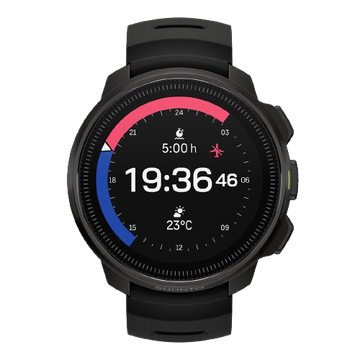


Suunto, the world’s leading dive computer brand, introduces an optional software update bringing usability and performance improvements to the Suunto DX, Suunto D6i, Suunto D6i Novo, Suunto D4i and Suunto D4i Novo.
Suunto's D-series dive computers are known for their refined design and solid functionality. The new software update 1.5.9 builds on consumer feedback and makes the devices even more user-friendly whether you're an experienced technical diver, freediver or an adventurous spirit new to the diving world.
The new enhancements include:
- The dive mode selection is moved to sub menu ”General Settings” to make it easier to change and dive with the desired mode.
- Easier and quicker digital compass calibration brought to D6i (similar to the DX) adds the possibility to calibrate the compass also underwater.
- Stopwatch usage simplified.
- Enhanced battery and pressure sensor checking.
This optional software update is available to existing Suunto DX, D6i and D4i owners via Authorized Suunto Service Centers. Please note, Suunto authorized battery change points are not able to offer this software update. When you send your dive computer for servicing or a battery change, the software will be updated at the same time without an additional cost. Without a battery change or other service procedure the cost is a handling fee that varies from country to country. D4, D6, D9 and D9tx can not be updated – you can identify the model on the backplate of your dive computer.
Please contact your local Suunto Dealer or Suunto Contact Center for more information. For contact details and updated user guides check out support. You can also check out the D-series learning tool or visit the Suunto YouTube channel for how-to-use videos.


