


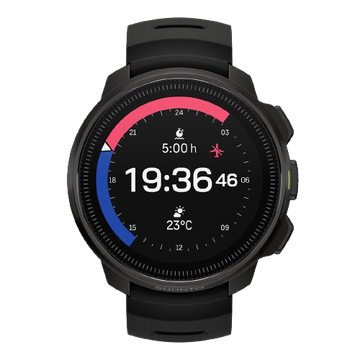


ソフトウェアアップデート- Suunto Nautic
Suuntoアプリを介しての無線ソフトウェア更新の便利さを享受し、あなたのSuunto Nautic Sが最新最良のソフトウェアを常に持っている状態を保ちましょう。
無線ソフトウェア更新
更新が利用可能で、あなたの時計がSuuntoアプリに接続されている場合、ソフトウェア更新は時計に自動的にダウンロードされます。
ソフトウェアがあなたの時計にダウンロードされると、時計はバッテリー残量が50%以上の状態であれば、夜間に自動的に更新されます。
夜間に自動的に行われる前に手動で更新をインストールしたい場合は、設定 > 一般 に移動し、 ソフトウェア更新を選択してください。

リリースノート
2.55.46
Suunto Nautic - Release notes: 2.55.46
This update brings new features, improvements and bug fixes.
New Dive features:
- New dive mode: CCR
- Possibility to add CCR diluent and bailout gases
- Changed the amount of maximum allowed gases from 5 to 8
- CCR Setpoint setting: auto and manual
- CCR functions during dive:
- Automatic setpoint change
- Setpoint alarms
- CCR switchwindow elements
- CCR items to dive summary
- Heart rate belt pairing
- Allow < 18% Trimix gas mix for active agas in CCR and Multigas mode at the surface
Bug fixes:
- Rain precipitation and wind sometimes 0
- Fix issues if switching between languages on first set up.
- The location icon occasionally disappear after panning the map
- When switching between views the screen experience some lag
- Wrong error message and icon if password didn’t match
- The flashlight quickly discharges to low battery
- Flashlight not working in factory setup
- Wrong icon for pairing new device
- Power consumption and charging optimization
- Extend the maximum decompression time to show value instead of >99min
- The BLE chip does not always recognise clock correctly
- Sometimes tank pressure alarm acknowledgment changes switch-field selection
- Incomplete time points in tide chart
- The curve chart of the tide chart does not have color fill
- The current data line of the tide chart is too long
- After changing unit settings, the widget units are not switched
- Location display in tide widget is incomplete
- Bug that prevented auto-start to work from the feeling view
- Rounding error in GF99 calculations
- When using the tide function for the first time, the synchronization time is displayed abnormally
- Surface time shows always >99h if device has been powered off
- Surface time field was missing from algorithm off view
- The bearing pointer sometimes disappeared from compass switch window
- The OTU 250 alarm was triggered at 251 and CNS 80 at 81
- Wrong Traditional Chinese translation for "Device lock"
- Avg & max depth didn’t show any values in switch window after surface time ends
- After enabling airplane mode, the Wi-Fi switch button did not turn off.
- The password lock screen will wait for 60 seconds before returning to the control panel interface.
- Nautic map view shows grids when zooming too close
- The error icon on the password error message screen is displayed incorrectly.
- Fix how to show the name of a point of interest if too long and cannot be fully displayed
- The software update displays an up arrow icon at the top
- Bug that caused the button operation indicators to disappear when entering the map interface after switching the map style and directly selecting to pan the map
- Nautic was missing sync state indicator
- In the Chinese version, the tank pressure is displayed in English units as "psi".
- Wrong pressure unit shown when mixed unit setting used
- Add TTS value to delta and @ 5 values even if no deco
- Diveplanner didn’t show full data if there are a lot of decostops
- GF in switch window shows on gas after deco cleared
- Extend the dive planner timeout
- Bug that showed GF99 1% at the surface
- Algorithm deviation alarm removed from Algorithm off mode
- Fix placement of update available banner
- Bug that kept gas switch icon visible after gas switch
- Planner last stop depth doesn't fit in spanish language
- Add new gas creates extra gas switch event
- Graphs should not be displayed in the log summary after a software update
2.49.32
Staged update starting on February 13th 2026
This update improvements and bug fixes.
New dive features:
- Option to set dive algorithm off during dive
Improvements and bug fixes:
- Fix to saving the wearing direction setting after power off
- Fix to avoid problems in case of battery drain
- Fix an issue regarding compass bearing icon is not cleared
2.49.28
Staged update starting on January 23rd 2026
This update brings new features, improvements and bug fixes.
New Dive features:
- Option to define separate units for depth, tank pressure, gas consumption, temperature
- Possibility to add GF99 and Surface GF value in switch window
- Option to see a tissue bar graph during dive
- Option to reset tissues
- Tide widget
Improvements and bug fixes:
- Localization fixes
- Compass bearing gets sometimes stuck
- Password lock bug fixes
- Wrong surface time after 48h of inactivity
- Fixes to visuals regarding decompression stops
- Helium not taken into account in tissue graph
- POI’s not working in Map
- Sidemount alarm not visible in Suunto app
- Fixes to showing tank pods when offline
- Ascent speed warning stuck on surface screen
- Fix timeout time in many menus
- Unified button hint visuals
- Compass mils degrees not cantered
- Fixes to dive planner when diving with algorithm off
- Fixes to icons in weather widget
- New certification markings
- Charging icon and charging state are not shown in dive screen, control panel and power saving screen
- A new gastime alarm was not shown on list
- Inconsistency in showing NX100 and NX99
- The water type in dive summary wasn’t changed when updated in the setting view
- Fix to gas change from gas menu
- Device didn’t go to power saving mode from planner views


Suunto Nautic のユーザーガイド
ユーザーガイドには製品機能全般の概要と使用方法、取扱注意事項および技術仕様が記載されています。


