




🔺See the Run Ahead
The ultimate performance watch out now!

 Watches

 Dive Products

 Headphones

 Compasses

 Digital Ecosystem

 Support
Shopping Cart
Your cart is empty


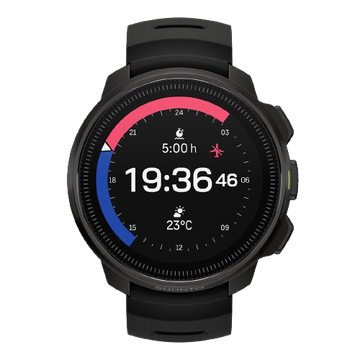
Suunto Race 3S puts flagship trail performance into a 56 g titanium build: 38 hours of dual-band GPS, a 2,000-nit AMOLED display, free global offline maps and 64GB of storage. Suunto AI Coach brings personalized training guidance to your wrist, reading your goal, your progress and your current state. Train with a clear plan, race with a strategy, and keep setting new personal bests.


*Actual battery life may vary depending on settings, usage and operating conditions.


120+ Sport Modes
Running, trail, cycling, mountaineering, water sports and more, each with dedicated tracking built for the way that sport is actually done.


SuuntoPlus™
Sport-specific tools and real-time guidance that deepen what you understand about your training, with a new sport app added every week.


300+partners
Connect to more than 300 partners across the sports world, unlocking new features and experiences as Suunto Race 3S grows with you.

Suunto Race 3S |

Suunto Race S |
|
|---|---|---|
| Display Brightness | 2,000 nits | 600 nits |
| Display Brightness | ||
| 2,000 nits | 600 nits | |
| Storage | 64GB | 32GB |
| Storage | ||
| 64GB | 32GB | |
| Battery life (Dual-band GPS) | Up to 38 hours | Up to 30 hours |
| Battery life (Dual-band GPS) | ||
| Up to 38 hours | Up to 30 hours | |
| Battery life (Daily use) | Up to 12 days | Up to 9 days |
| Battery life (Daily use) | ||
| Up to 12 days | Up to 9 days | |



FAQ
To turn the watch on, press and hold the middle button for about five seconds until the screen lights up. To turn it off, press and hold the middle button from the watch face, then go to Settings > General > Power Off.
The watch has three buttons. Press the middle button (the crown) to confirm, enter, or go back, and rotate it to scroll through pages. The upper button changes function depending on the screen you're on. A short press of the lower button steps back, and a long press returns you to the watch face.
From the watch face, press and hold the middle button, then go to Settings > Customize to switch between the faces already on your watch. You can download more through the Suunto app.
When the watch is connected to the Suunto app, it syncs the time from your phone automatically. To set it by hand, go to Settings > General > Time/Date, where you can choose a 12 or 24-hour format, your time zone, and the date format.
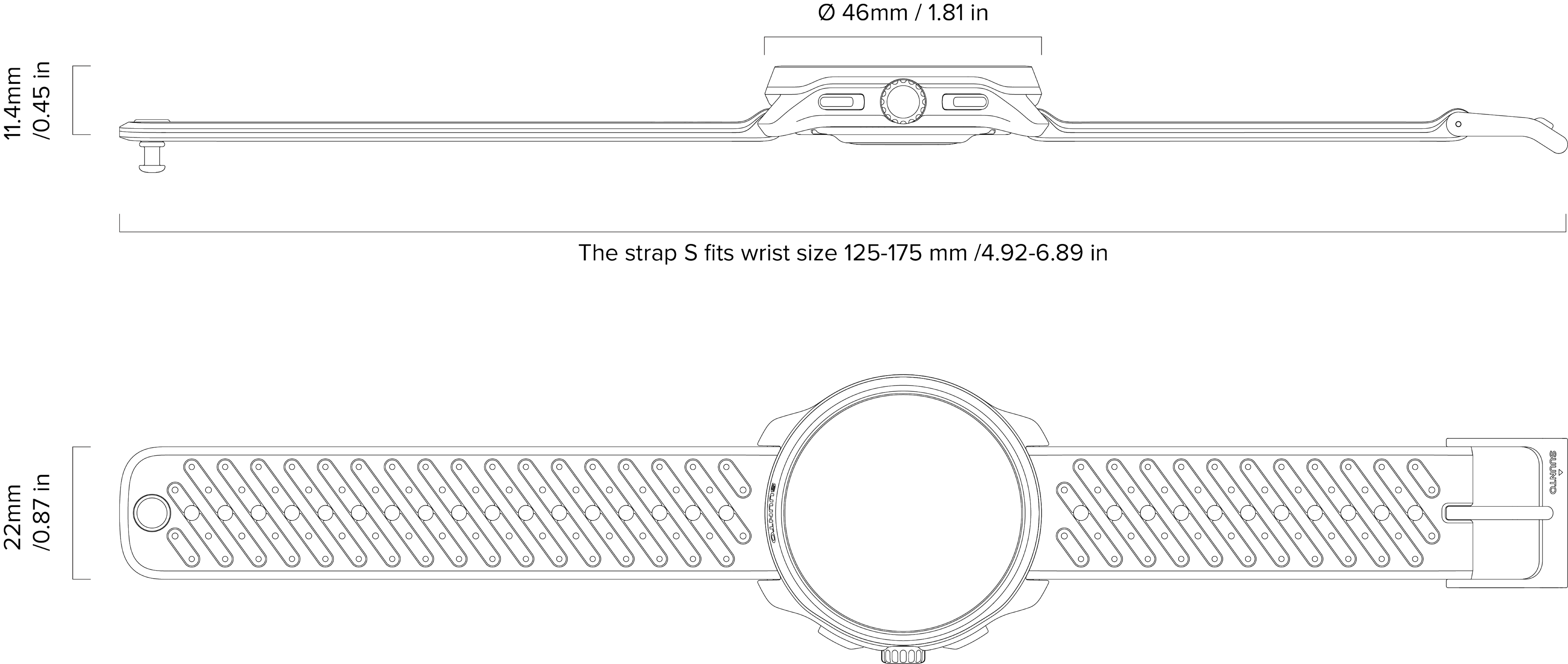
The bezel and case-back are titanium, and the lens is sapphire crystal, which rates 9 on the Mosh scale for scratch resistance. The case is a high-performance polymer, and it comes with a 22 mm quick-release silicone strap that you can swap out yourself.
The display is a 1.32-inch LTPO AMOLED at 466x466, with up to 2,000 nits of brightness so it stays readable outdoors, and it's full color.
Race 3S is 46 mm across and weighs around 56 g with the silicone strap. The titanium build keeps it tough without making it heavy.
Water resistant is up to 5 ATM, so it's fine for swimming, everyday water exposure, and snorkelling, though it isn't built for scuba diving. Rinse it with fresh water after swimming or any contact with salt water, and keep it out of saunas and hot baths.
The AMOLED screen doubles as an emergency flashlight. Open the Control Center and turn on the torch, and the screen switches to full-brightness white. It's handy in a pinch, but it drains the battery quickly if you leave it on.
In daily use the battery lasts around 10 days. With dual-frequency multi-constellation GPS it runs for about 45 hours, and single-frequency GPS or Battery Saver extends that further, with Expedition mode lasting longer still. Real-world battery life depends on how you use the watch.
Yes. Twenty minutes on the charger gives you about 10 hours of dual-frequency GPS, and a full charge takes around 1.5 to 2 hours. We recommend a 5V/1A or higher USB charger.
During an activity, you can switch to single-frequency GPS or Expedition mode to make the battery last longer. For everyday use, turning off the always-on display, lowering the brightness, and limiting notifications all help. When the battery runs low, the watch prompts you to switch on Battery Saver automatically.
It uses dual-frequency, five-constellation GNSS, covering GPS, GLONASS, Galileo, BeiDou, and QZSS. The dual L1 and L5 bands cut down on the signal errors you get around tall buildings, so your position stays more accurate and stable.
Yes, and they're free. You get global offline maps (exclude sanctioned countries and regions) with contour lines, place names, roads, and water features, with no subscription. There's 64 GB of storage for map data, and you download the regions you need through the Suunto app at no cost.
Yes. Create a route in the Suunto app or import a GPX or KML file, then sync it to the watch. As you navigate, it shows your position, your track, the distance remaining, and your ETA, and alerts you if you drift off route.
When you're following a route, Climb Guidance automatically shows the distance, ascent, average grade, and steepest grade of each climb ahead. Knowing that in advance makes it much easier to pace your effort, which is a real help on trail runs and in the mountains.
Race Planner works out suggested pacing for each segment and an estimated finish time, based on the route's elevation profile, the weather, and your current fitness. The idea is to help you pace sensibly on race day so you don't burn out early.
Yes. It has a built-in compass along with barometric and temperature sensors, and it shows your altitude (from either the barometer or GPS), the pressure trend, and the temperature. If the pressure drops sharply, it sets off a storm alarm automatically. Calibrate the compass regularly and keep it away from sources of magnetic interference.
Yes. The watch uses your GPS location to show sunrise and sunset times, which makes it easy to plan your time outdoors.
There are more than 120 sport modes, covering running, trail running, cycling, swimming, hiking, mountaineering, triathlon, skiing, and paddleboarding, along with gym workouts and plenty more. You can also build your own custom modes.
You get wrist-based running power straight from the watch, with no extra accessories needed. For precise figures you can also pair power meters over Bluetooth, including Stryd for running and cycling power meters, and the watch supports power zones.
Yes, straight from the wrist. It captures metrics like cadence, ground contact time, and vertical oscillation.
Right after a session, the watch shows a summary with distance, time, pace, heart rate zones, calories, and elevation. For the deeper analysis, including graphs, laps, training effect, and recovery, open the Suunto app, which can also sync to Strava, and others.
Yes. Wrist-based optical heart rate uses a new-generation sensor that's accurate for everyday wear and steady-effort exercise.
Yes, both on demand and during sleep. The readings are for reference only and aren't intended for medical diagnosis.
Yes. It reads your heart rate variability and heart rate to gauge your stress and recovery, and the recovery index in Training Zone helps you decide when to train and when to rest.
It works with standard Bluetooth LE accessories, including chest heart rate straps, speed and cadence sensors, power meters, Stryd, and running dynamics pods.
It has 64 GB, double the previous generation, which is enough room for a large library of offline maps and thousands of songs.
Yes, and it's a first for the Race series. Transfer your MP3 or WAV files to the watch, pair a set of Bluetooth headphones, and you can listen while you train without your phone. Playlists are managed through the Suunto app. Offline Music available via an over-the-air software update following product launch. Availability timing is subject to official announcement.
Go to Settings > Connectivity > Bluetooth Headphones > Add new device, put your headphones in pairing mode, and select their name to connect.
Download the Suunto app (iOS 17 or later, or Android 8 or later) and create an account or sign in. Choose Pair new device, make sure the watch is on with Bluetooth enabled, and follow the prompts to finish pairing.
A few things to try: make sure Bluetooth is on and you're within about 10 meters; restart Bluetooth on your phone; force-restart the watch by holding the upper button for 20 seconds; unpair and pair again; and check that both the app and the watch firmware are up to date.
Yes. Once it's connected to your phone, the watch shows incoming calls, texts, and app notifications.
Yes. When the watch is connected to the app, it tells you when new firmware is available, and you can also check by hand under Settings > About > Software update. Make sure the battery is well charged before you update.
Yes to all three. You can set multiple alarms, use the stopwatch with lap splits, and run a custom countdown timer.
Yes. You can ping your phone to make it ring, and control music playback on your phone, including play, pause, skipping tracks, and volume.
Go to Settings > General > Factory reset. A reset wipes all your data, so sync anything important to the app first.
Suunto's International Limited Warranty covers the watch for two years and accessories for one year from the date of purchase, against defects in materials and workmanship. The authorized service center decides whether to repair, replace, or refund, unless otherwise required by applicable local laws. Keep your proof of purchase, and it's worth registering at suunto.com/register. You'll find the full terms at suunto.com/warranty.
No. Opening the watch yourself can let water in and cause damage, and using non-original parts or unauthorized repairs voids the warranty. If something's wrong, get in touch through suunto.com/support.
Rinse the watch with fresh water after you use it, and use a mild soap if you've been sweating heavily. Keep it away from chemicals like sunscreen and insect repellent, dry the charging contacts before charging, check the strap now and then for wear, and don't wear it in saunas or hot baths.


Find user guides, how to videos, FAQs, tutorial articles and detailed support information for your Suunto watch.
*Supports offline music playback. Transfer MP3/WAV audio files and listen with Bluetooth headphones. Playlist management via the Suunto app. Offline Music available via an over-the-air software update following product launch. Availability timing is subject to official announcement.


