


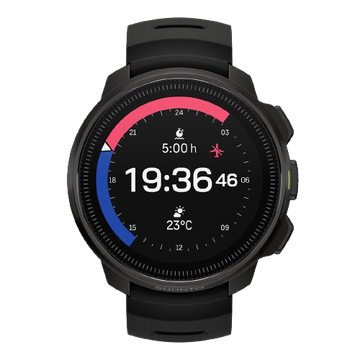


Suunto Nautic Software Update
Enjoy the convenience of over the air software updates via Suunto app so that your Suunto Nautic always has the latest and greatest software.
Over the air software update
When an update is available and your watch is connected with Suunto app, the software update will be downloaded to the watch automatically.
Once the software is downloaded to your watch, the watch will update itself during the night as long as the battery level is at least 50%.
If you want to install the update manually before it happens automatically during the night, navigate to Settings > General and select Software update.

Release notes
2.55.46
Suunto Nautic - Release notes: 2.55.46
This update brings new features, improvements and bug fixes.
New Dive features:
- New dive mode: CCR
- Possibility to add CCR diluent and bailout gases
- Changed the amount of maximum allowed gases from 5 to 8
- CCR Setpoint setting: auto and manual
- CCR functions during dive:
- Automatic setpoint change
- Setpoint alarms
- CCR switchwindow elements
- CCR items to dive summary
- Heart rate belt pairing
- Allow < 18% Trimix gas mix for active agas in CCR and Multigas mode at the surface
Bug fixes:
- Rain precipitation and wind sometimes 0
- Fix issues if switching between languages on first set up.
- The location icon occasionally disappear after panning the map
- When switching between views the screen experience some lag
- Wrong error message and icon if password didn’t match
- The flashlight quickly discharges to low battery
- Flashlight not working in factory setup
- Wrong icon for pairing new device
- Power consumption and charging optimization
- Extend the maximum decompression time to show value instead of >99min
- The BLE chip does not always recognise clock correctly
- Sometimes tank pressure alarm acknowledgment changes switch-field selection
- Incomplete time points in tide chart
- The curve chart of the tide chart does not have color fill
- The current data line of the tide chart is too long
- After changing unit settings, the widget units are not switched
- Location display in tide widget is incomplete
- Bug that prevented auto-start to work from the feeling view
- Rounding error in GF99 calculations
- When using the tide function for the first time, the synchronization time is displayed abnormally
- Surface time shows always >99h if device has been powered off
- Surface time field was missing from algorithm off view
- The bearing pointer sometimes disappeared from compass switch window
- The OTU 250 alarm was triggered at 251 and CNS 80 at 81
- Wrong Traditional Chinese translation for "Device lock"
- Avg & max depth didn’t show any values in switch window after surface time ends
- After enabling airplane mode, the Wi-Fi switch button did not turn off.
- The password lock screen will wait for 60 seconds before returning to the control panel interface.
- Nautic map view shows grids when zooming too close
- The error icon on the password error message screen is displayed incorrectly.
- Fix how to show the name of a point of interest if too long and cannot be fully displayed
- The software update displays an up arrow icon at the top
- Bug that caused the button operation indicators to disappear when entering the map interface after switching the map style and directly selecting to pan the map
- Nautic was missing sync state indicator
- In the Chinese version, the tank pressure is displayed in English units as "psi".
- Wrong pressure unit shown when mixed unit setting used
- Add TTS value to delta and @ 5 values even if no deco
- Diveplanner didn’t show full data if there are a lot of decostops
- GF in switch window shows on gas after deco cleared
- Extend the dive planner timeout
- Bug that showed GF99 1% at the surface
- Algorithm deviation alarm removed from Algorithm off mode
- Fix placement of update available banner
- Bug that kept gas switch icon visible after gas switch
- Planner last stop depth doesn't fit in spanish language
- Add new gas creates extra gas switch event
- Graphs should not be displayed in the log summary after a software update
2.49.32
Staged update starting on February 13th 2026
This update improvements and bug fixes.
New dive features:
- Option to set dive algorithm off during dive
Improvements and bug fixes:
- Fix to saving the wearing direction setting after power off
- Fix to avoid problems in case of battery drain
- Fix an issue regarding compass bearing icon is not cleared
2.49.28
Staged update starting on January 23rd 2026
This update brings new features, improvements and bug fixes.
New Dive features:
- Option to define separate units for depth, tank pressure, gas consumption, temperature
- Possibility to add GF99 and Surface GF value in switch window
- Option to see a tissue bar graph during dive
- Option to reset tissues
- Tide widget
Improvements and bug fixes:
- Localization fixes
- Compass bearing gets sometimes stuck
- Password lock bug fixes
- Wrong surface time after 48h of inactivity
- Fixes to visuals regarding decompression stops
- Helium not taken into account in tissue graph
- POI’s not working in Map
- Sidemount alarm not visible in Suunto app
- Fixes to showing tank pods when offline
- Ascent speed warning stuck on surface screen
- Fix timeout time in many menus
- Unified button hint visuals
- Compass mils degrees not cantered
- Fixes to dive planner when diving with algorithm off
- Fixes to icons in weather widget
- New certification markings
- Charging icon and charging state are not shown in dive screen, control panel and power saving screen
- A new gastime alarm was not shown on list
- Inconsistency in showing NX100 and NX99
- The water type in dive summary wasn’t changed when updated in the setting view
- Fix to gas change from gas menu
- Device didn’t go to power saving mode from planner views


User guide for Suunto Nautic
User guides provide a comprehensive overview of product features, how to use them, as well as handling guidelines and technical specifications.


